Video guide · 1 minute
How to connect Claude in 1 minute
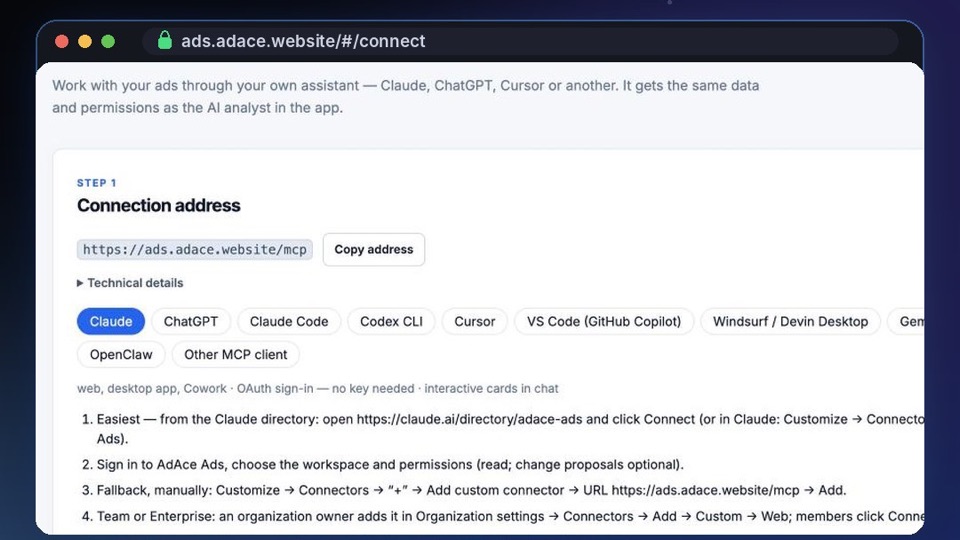
AdAce Ads is in the Claude connector directory: one click, a sign-in and Allow. No address to copy and no key — Claude signs in over OAuth.
 Watch · 1 min
Video in English. Watch on YouTube ›
Step by step
- In AdAce Ads open AI assistants and pick Claude.
- Open AdAce Ads in the Claude directory (the Find in the Claude directory button) and press Connect.
- Sign in to AdAce Ads, choose your workspace and press Allow.
- In a new Claude chat press +, then Connectors, and make sure AdAce Ads is on.
- Ask: “Call get_started from AdAce Ads”. Claude shows what it can read and propose — nothing changes without your approval.
More 1-minute videos

Try it on your own accounts
Create a workspace, connect Google or Meta in a couple of clicks and see your accounts clearly. Changes follow your approvals or the policy you configure.